How to Cut Out Product Photos for Your Etsy Shop in Seconds
A handmade-seller’s guide to AI background removal that keeps the texture of macramé, wool, ceramic, and fringe intact.
Cutting out product photos for an Etsy shop means removing the original backdrop from a product image and replacing it with a clean white, transparent, or lifestyle scene so the handmade item reads clearly in the listing thumbnail and gallery. On Etsy, the recommended listing image is at least 2000 pixels on the short side (per the Etsy Seller Handbook — listing photos), and each listing can carry up to 10 photos plus one video. An AI background remover performs the cutout in roughly 3 seconds per image, compared with 10–20 minutes per image when masking manually in Photoshop.
This guide covers what an Etsy-focused background cutout actually involves, why handmade goods are harder to cut than hard-edged retail products, how to do it in four steps, three concrete handmade scenarios (macramé, ceramic, knitwear), and answers to the questions Etsy sellers most often ask before adopting a tool.
Why Handmade Items Are Harder to Cut Out Than Standard Retail Products
Most background removers are tuned on photos of rigid, clearly-bounded objects — shoes, phones, kitchen appliances. Handmade goods fail that assumption in two ways.
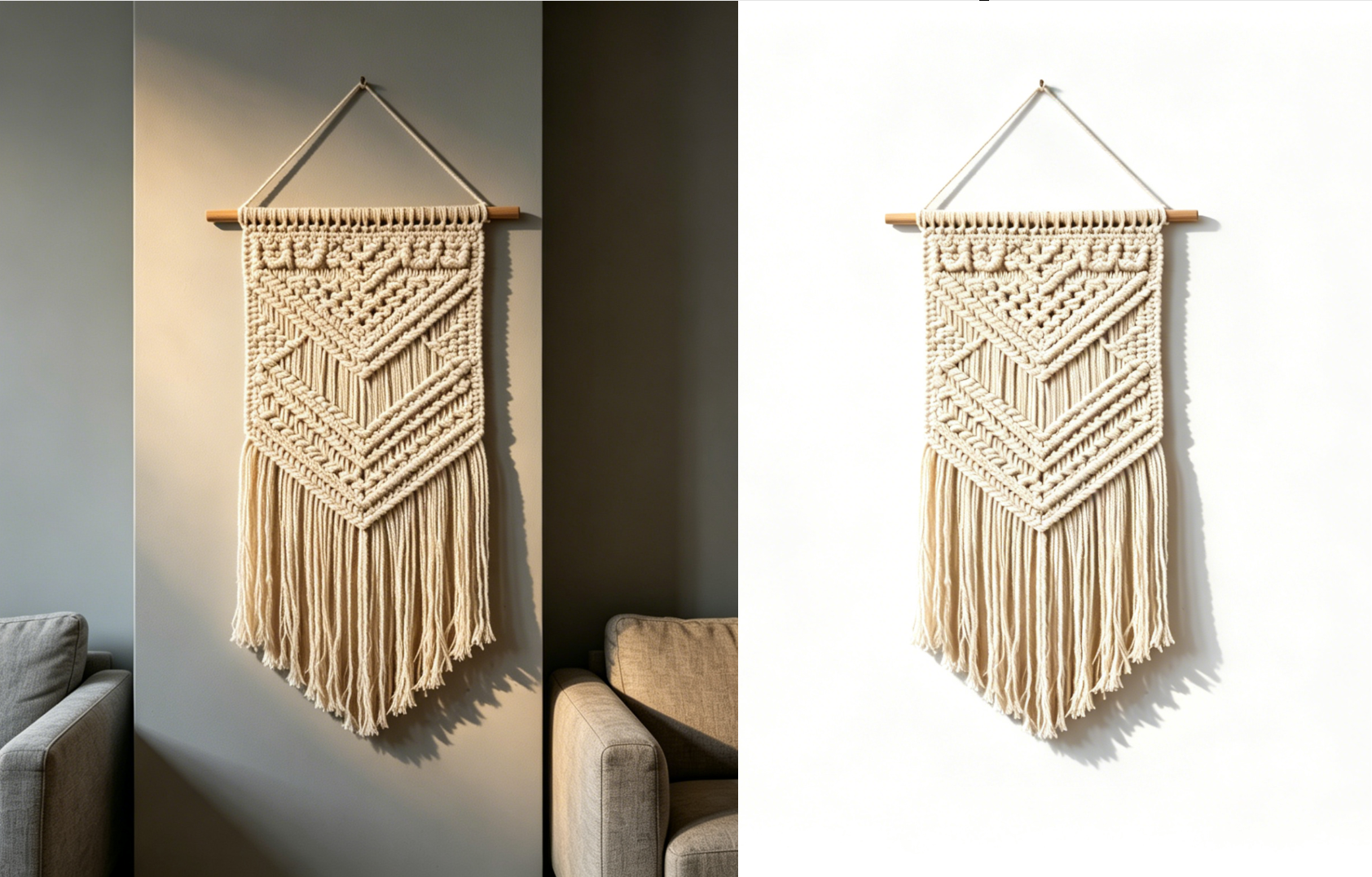
Fuzzy or fibrous edges. Macramé fringe, wool knits, crochet lace, and soft-focus textiles have edges that are not a continuous line. A simple thresholded cutout either trims the fringe off (shaving the product) or leaves a halo of old background (the “ghost edge” every Etsy seller has seen).
Reflective and ceramic surfaces. Handmade pottery, jewelry, and glass pieces reflect their surroundings. On a wood-grain table the reflection picks up the grain, and a cutout that strips the grain away without preserving the subtle shadow at the base of the object leaves the product looking pasted-on.
These two classes of edge case are why a generic “one-click” remover often disappoints on an Etsy catalog even when it works fine for an Amazon FBA catalog. An AI tool trained on varied e-commerce textures handles both — but it is worth inspecting at 100% zoom on the first handful of listings to confirm, especially for fringe-heavy pieces.
What Etsy Actually Recommends for Listing Photos
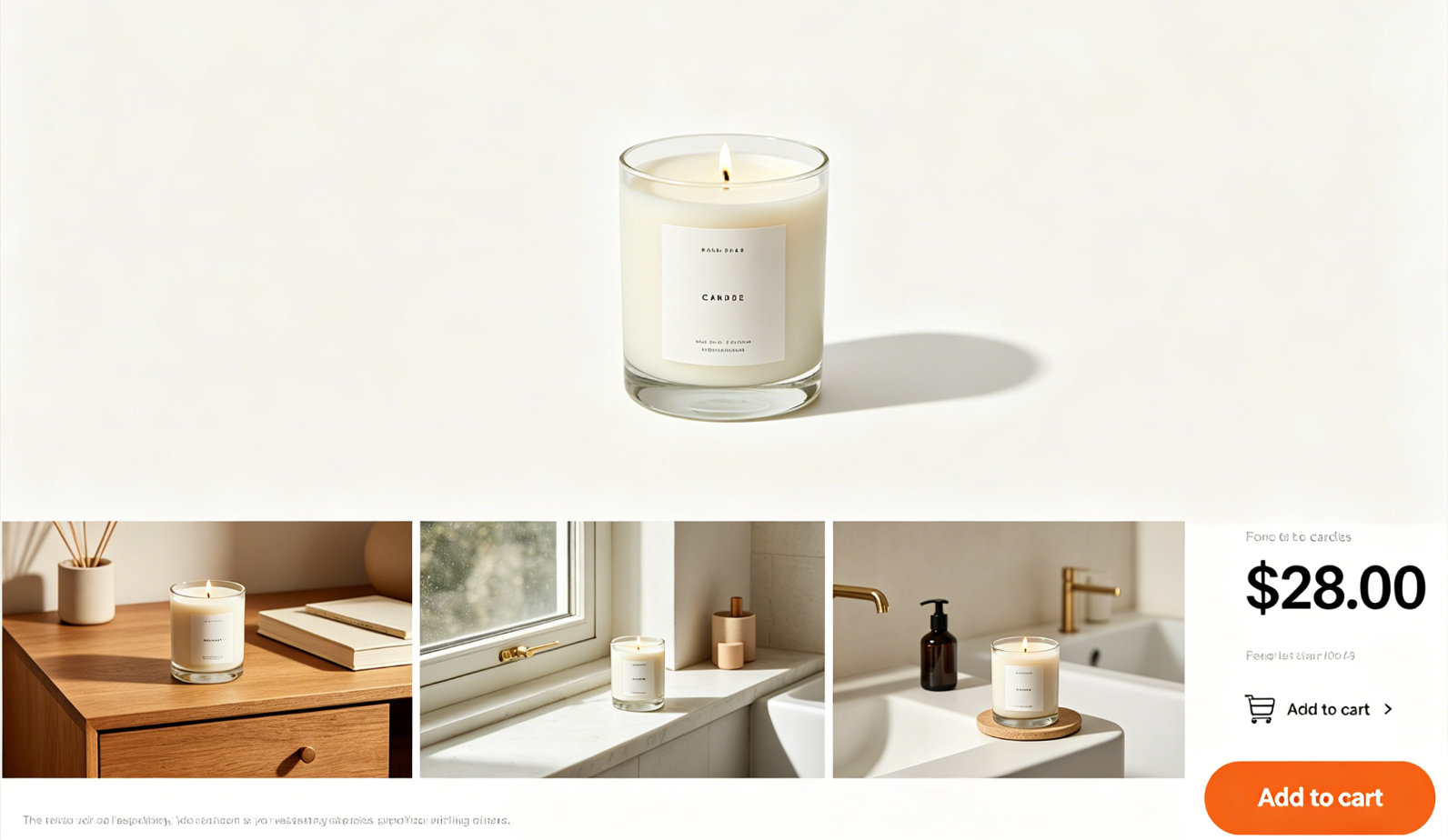
Etsy does not enforce a pure white background rule the way Amazon does. Instead, Etsy’s Seller Handbook listing-photo guide recommends ten photos per listing with a mix of styles: a clean primary shot, in-use lifestyle context, scale references, and detail close-ups. The first image drives click-through from search, and Etsy’s search algorithm weighs listing-quality signals including photo completeness. Etsy listings also get indexed by Google Images, which has its own image SEO guidelines — well-cropped subjects on clean backgrounds with descriptive alt text rank better on both surfaces.
For the first (primary) image, clean-cutouts on white or near-white work reliably because they read well at thumbnail size in mobile search. For images 2–10, lifestyle and context shots outperform a white-background repeat. That mix — one clean cutout plus eight to nine styled or contextual variants — is exactly what a cutout tool enables from a single raw photo.
AI Cutout vs. Manual Photoshop vs. Outsourced Editor for Etsy
Etsy sellers typically have three options for producing cutouts at the scale a handmade shop requires. Here is how they compare on the dimensions that matter for a shop with 20–200 listings.
| Dimension | AI background remover | Manual Photoshop / GIMP | Outsourced editor |
|---|---|---|---|
| Time per photo | ~3 seconds | 10–20 minutes (longer for fringe) | 24–72 hour turnaround |
| Cost per photo | $0 to $0.20 | Seller’s own time | $1–$5 per photo typical |
| Handles macramé / fringe / wool | Yes with modern segmentation models; inspect at 100% zoom | Highest quality if done by skilled editor | Depends on agency experience |
| Full catalog refresh in one sitting | Yes | No | No |
| Lifestyle scene replacement | Built in | Requires separate compositing skill | Extra fee |
| Best suited for | Shops iterating weekly, seasonal drops | Signature hero shots | Brand campaigns with tight art direction |
For a typical Etsy shop that refreshes a few listings per week and runs seasonal sales, the AI route wins on time and cost. Photoshop still makes sense for a signature hero image; outsourcing still makes sense when a shop needs consistent art direction across a launch.
How to Cut Out an Etsy Product Photo with XPixel in 4 Steps
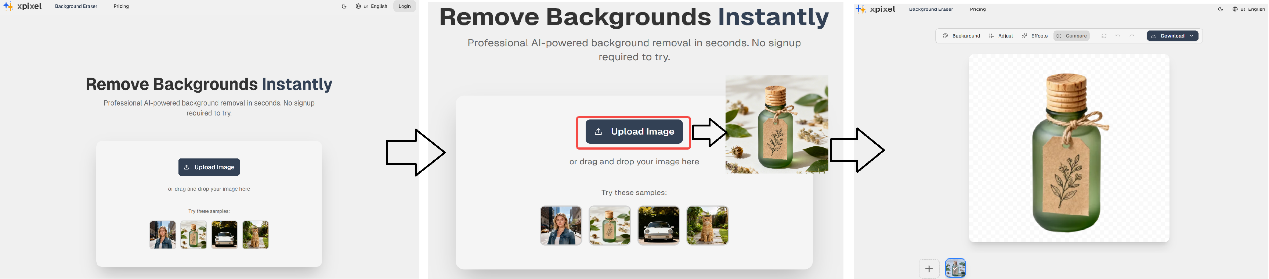
The workflow below applies to XPixel, but the sequence is similar across most AI cutout tools.
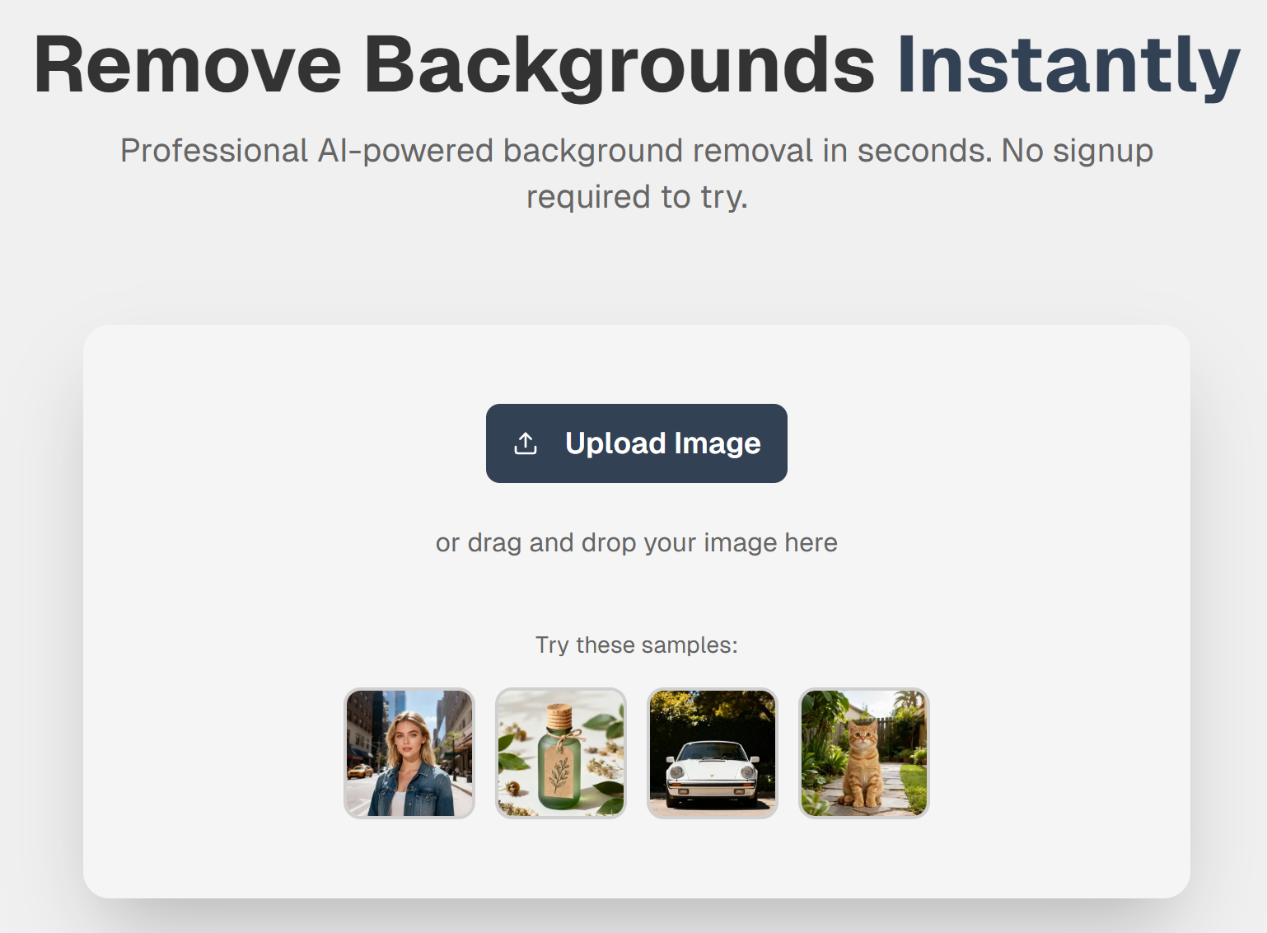
- Upload the photo. Drag and drop the raw product image into the uploader. JPG, PNG, and WebP are supported. A minimum input resolution of 2000 pixels on the short side keeps the output at or above Etsy’s recommended listing size.
- Wait for the automatic cutout. The AI runs segmentation and produces a transparent PNG in about 3 seconds. Fringe, fuzz, and fine detail are preserved in the alpha channel.
- Choose a new backdrop. Keep transparent for maximum flexibility, pick a clean white for the primary listing image, or pick a lifestyle scene (shelf, wall, linen, wood) for gallery images 2–10.
- Export and upload to Etsy. Download as PNG (lossless, supports transparency) or high-quality JPEG and upload through the Etsy listing editor or a bulk editor.
Three Handmade Scenarios Where Cutouts Move the Needle
1. Macramé wall hangings with fringe
A 3-foot macramé piece photographed against a patterned wall is difficult to mask by hand because each strand of fringe is a separate edge. A segmentation-based AI tool preserves each strand in the alpha channel, letting the piece be placed on a plain linen backdrop for the primary image and a styled living-room scene for gallery image 2.
2. Ceramic mugs and pottery on wood-grain tables
Handmade pottery reflects its environment. A cutout needs to separate the ceramic curves from the textured wood while keeping the natural contact shadow at the base, otherwise the mug looks pasted-on. Modern AI tools retain a soft contact shadow automatically; older one-click tools do not.
3. Knitted sweaters and wool accessories on linen
The fuzziness of wool often blends into a linen backdrop at the same color temperature. Edge detection trained on textile textures isolates the knit without shaving it, and the resulting cutout can be placed on a neutral background where the stitch detail and fiber color read clearly at thumbnail size.
Frequently Asked Questions
Does Etsy require a white background for listing photos?
No. Unlike Amazon’s main-image rule (pure white at RGB 255, 255, 255), Etsy does not enforce a background color. The Etsy Seller Handbook recommends a mix of clean primary photos and lifestyle or context shots across the ten photo slots. A clean cutout on white or a soft neutral works well for the first image; lifestyle variants cover images 2–10.
Will AI background removal damage the texture of handmade items like macramé or wool?
A well-implemented tool preserves fringe, fuzz, and fine fibers in the alpha channel by running a segmentation model rather than a binary threshold. On the first few images of a new texture (especially macramé and very soft wool), inspect the cutout at 100% zoom and touch up if needed. Most handmade catalogs clear the bar after the first couple of checks.
What image resolution does Etsy recommend for listing photos?
Etsy recommends at least 2000 pixels on the short side per the Seller Handbook. Inputs smaller than that may pass validation but will look soft when a buyer zooms in. AI cutout tools preserve input resolution, so keep the original as high-resolution as possible before uploading.
Can I batch-process an entire seasonal drop at once?
Yes. Most AI tools accept a ZIP or multi-file upload and return a ZIP of cutouts. For a 20-item holiday drop, this collapses what would be an afternoon of Photoshop into a few minutes of upload, review, and export.
What output format should I choose for Etsy — PNG or JPEG?
Use PNG when you want to keep transparency or plan to composite the product onto multiple scenes. Use high-quality JPEG when the final backdrop is already baked in — JPEG is smaller on upload and renders slightly faster on mobile, though Etsy’s CDN handles both cleanly.
How is XPixel different from Canva’s background remover?
Canva’s remover is part of a general-purpose design suite and optimizes for casual social-media use. Purpose-built e-commerce tools like XPixel add features handmade sellers need — texture-preserving segmentation for fringe and wool, batch processing for whole catalogs, lifestyle scene templates, and output sizes calibrated to marketplace display rules. Sellers who also operate a Shopify store can cross-reference Shopify’s product photography guide for rules that apply when the same cutout needs to work on a storefront outside Etsy.
Next Steps
For an Etsy shop that refreshes listings weekly or runs seasonal drops, the cutout step is the photography bottleneck. An AI tool trades a small per-image cost for tens of hours of manual editing time reclaimed each month. Amazon FBA sellers with a separate rule set can read the companion guide to Amazon-compliant product image workflows for the pure-white requirement and batch prep for Prime-day-style pushes.
Start with XPixel →