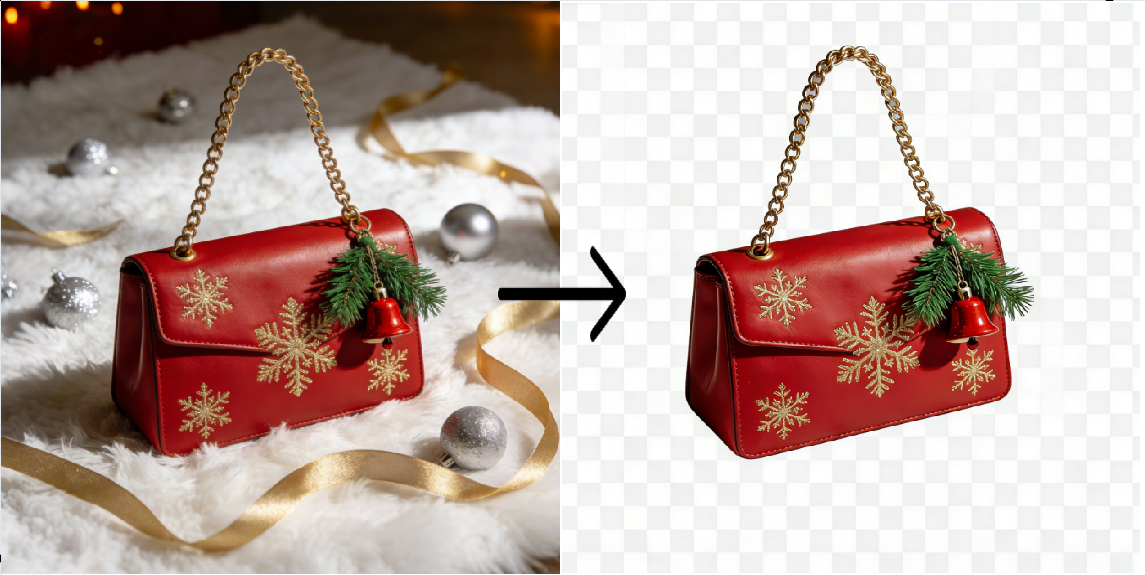
Best AI Product Background Remover for E-Commerce Sellers
A practical guide to removing and replacing product backgrounds at scale for Amazon, Shopify, and Etsy listings.
A product background remover is an AI tool that automatically separates a product from its photographic background and outputs a transparent PNG or a product placed on a new background. For e-commerce sellers, it replaces manual Photoshop masking (typically 10–20 minutes per image) with a process that completes in around 3 seconds. The tool is used to meet marketplace image rules — for example, Amazon requires main product images to sit on a pure white background at RGB 255, 255, 255 — and to produce lifestyle variants for gallery images, A+ content, and paid ads.
This guide covers what a product background remover does, how it compares to manual editing and outsourcing, how to use one in four steps, common use cases for Amazon and Shopify sellers, and answers to the most frequent questions from sellers evaluating these tools.
What E-Commerce Image Rules the Tool Actually Has to Satisfy
Before choosing a background remover, it helps to know what the platforms require. Two rules drive most of the pain sellers run into.
Amazon main image rule. Amazon Seller Central requires the main image of a product listing to be on a pure white background — specifically RGB 255, 255, 255 — with the product filling at least 85% of the frame and no additional text, logos, or props. Non-compliant main images are suppressed from search results. Policy reference: Amazon Seller Central — Product Image Requirements.
Shopify and general web performance rules. Shopify does not enforce a single background color but recommends consistent, high-resolution product imagery for brand trust, and Google Search penalizes slow-loading, oversized images in ranking via Core Web Vitals. Source: Shopify Help Center — Product photography basics; Google Search Central — Google Images best practices.
An AI background remover addresses both: it outputs a clean cutout that can be placed on Amazon-compliant white, and because it exports optimized PNG/WebP, it keeps file sizes in the range Core Web Vitals expects.
AI Background Remover vs. Photoshop vs. Outsourcing
Sellers generally have three options for producing listing-ready images at volume. Here is how they compare on the dimensions that matter for a small to mid-size e-commerce operation.
| Dimension | AI background remover | Manual Photoshop | Outsourced editor |
|---|---|---|---|
| Time per image | ~3 seconds | 10–20 minutes | 24–72 hour turnaround |
| Cost per image | $0 to $0.20 | Labor cost of in-house editor | $1–$5 per image typical |
| Edge quality on hair / fabric / mesh | Good for most SKUs; fine detail varies by tool | Highest when done by skilled editor | Highest when agency is experienced |
| Batch 50+ SKUs in an afternoon | Yes | No | No (turnaround dependent) |
| Background replacement with lifestyle scenes | Built in | Requires separate compositing skill | Extra fee |
| Learning curve | None | Steep | None (but coordination overhead) |
For most sellers running catalogs of 20+ SKUs and iterating on listings weekly, the AI route wins on time and cost. Manual Photoshop still makes sense for hero images that need hand-finished fine detail; outsourcing still makes sense when you need consistent art direction across a brand campaign. Etsy sellers dealing with fringe, wool, and ceramic textures should read the Etsy-specific cutout guide — the texture cases are different enough that they deserve their own workflow.
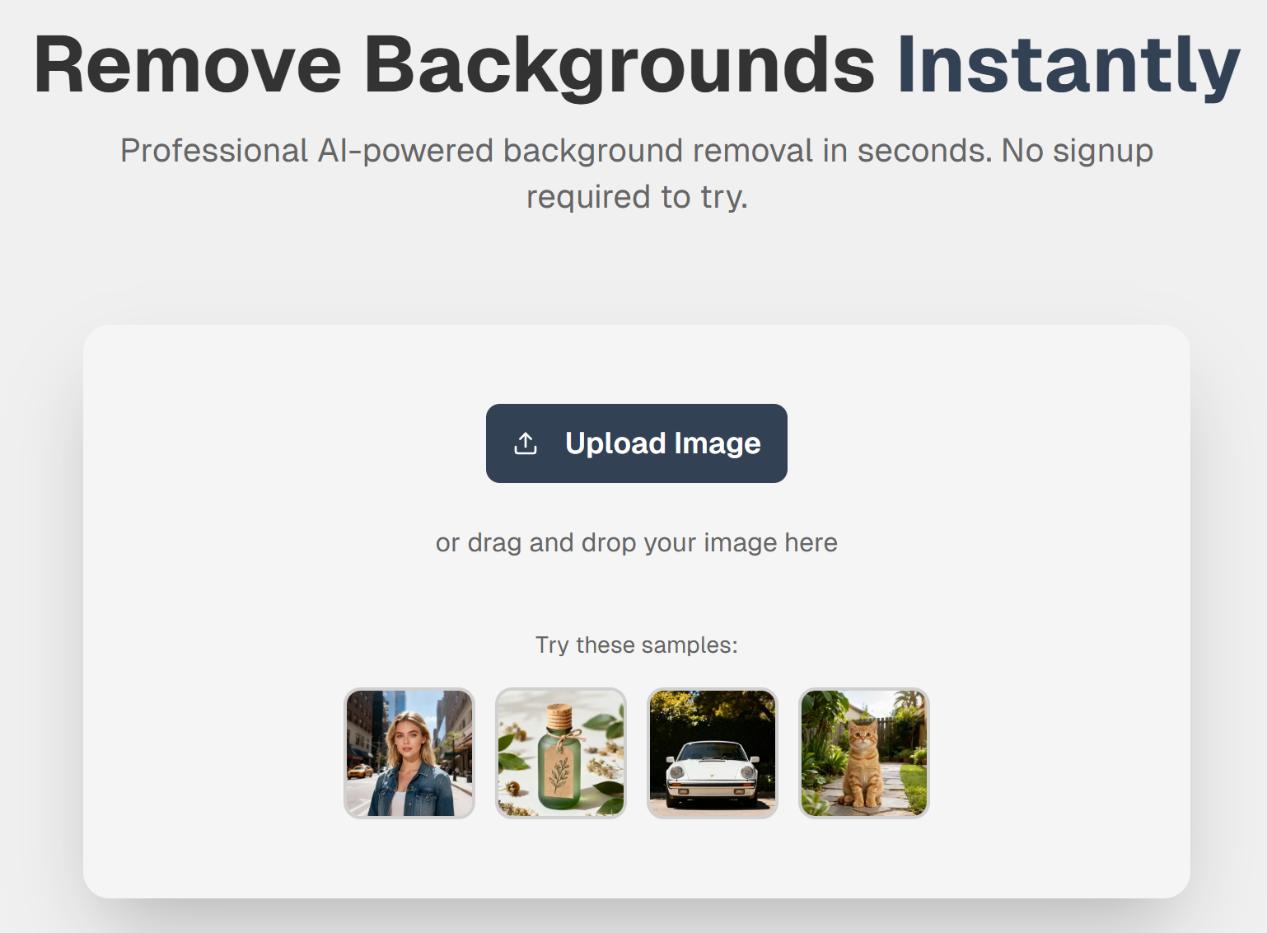
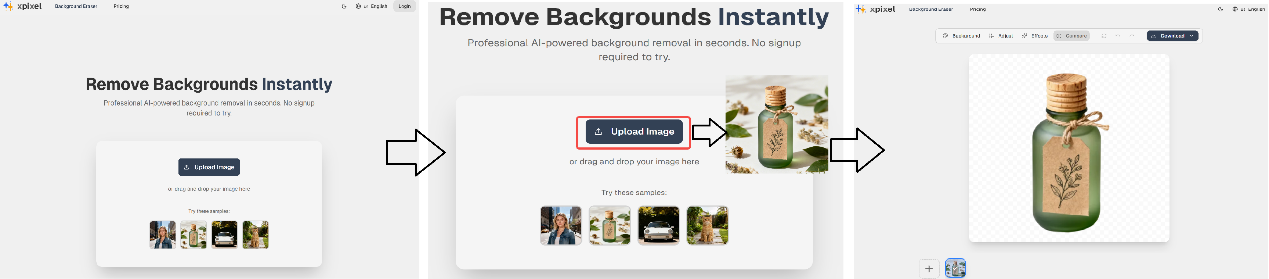
How to Remove a Product Background with XPixel in 4 Steps
The workflow below applies to XPixel, but the sequence is similar across most AI background removers.
- Upload the photo. Drag and drop the raw product image into the uploader. JPG, PNG, and WebP up to common web sizes are supported.
- Wait for the automatic cutout. The AI runs segmentation and produces a transparent PNG in about 3 seconds. No masking, no magic wand, no manual edge refinement.
- Pick a background. Choose pure white (RGB 255, 255, 255) for an Amazon-compliant main image, or pick a lifestyle scene for A+ content, gallery shots, or social ads.
- Export and upload. Download the result as PNG or WebP and upload to Seller Central, Shopify admin, or your ad platform.
Three Common Use Cases for Amazon and Shopify Sellers
1. Salvaging cluttered home shoots
A seller photographs a multi-piece kitchenware set on a dining table at home. Instead of booking a studio, the seller runs each image through a background remover to isolate the products and drop them on pure white for the Amazon hero slot. One afternoon of casual shooting becomes a full set of compliant listings.
2. Generating lifestyle variants from a single studio shot
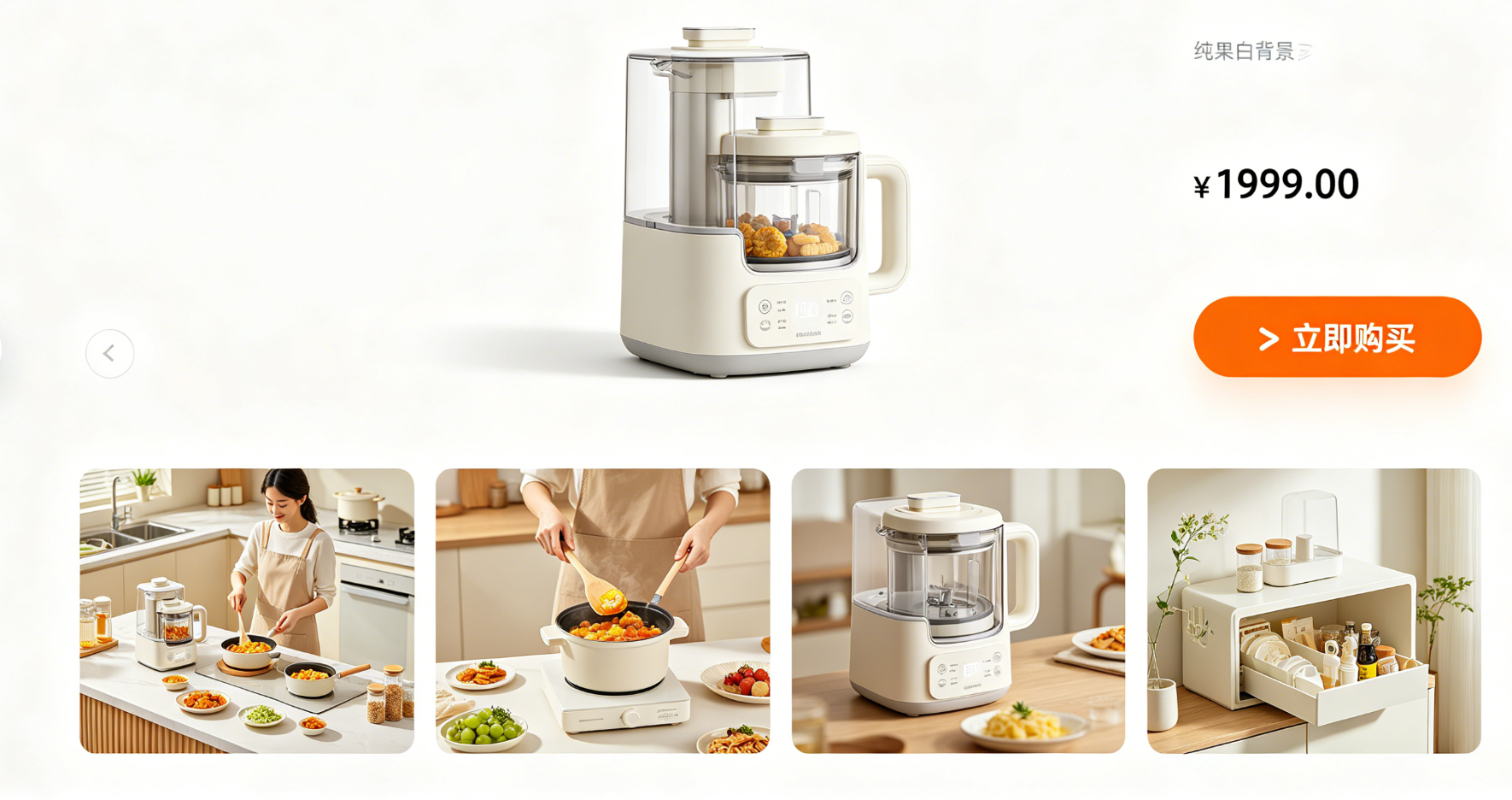
A pure white background is required for the Amazon main image but works poorly for gallery slots 2–7, where shoppers expect context. The same cutout can be placed on a modern living room, a professional kitchen, or an outdoor scene to populate the secondary gallery without a second shoot.
3. Preparing for a sales event at scale
Before a Prime Day or Black Friday push, a seller batches 20–50 SKUs through the tool in one sitting, producing both compliant white-background main images and lifestyle variants for paid ads. What would have taken an afternoon of Photoshop now fits into the time it takes to finish a coffee.
Frequently Asked Questions
Is an AI product background remover accurate enough for Amazon main images?
Yes, for the majority of rigid, clearly bounded products (electronics, kitchenware, packaged goods). For products with fine hair, mesh, or translucent fabric, inspect the cutout at 100% zoom before submitting and touch up manually if needed. Amazon requires pure white at RGB 255, 255, 255 and the product to fill ≥85% of the frame, which AI tools handle cleanly.
Will AI background removal hurt my image quality or resolution?
A well-implemented tool preserves the original resolution of the subject and outputs PNG or high-quality WebP. Downscaling only happens if you explicitly request a smaller export size. Quality loss comes from re-compression, not from the segmentation step.
How is this different from the free background remover built into Canva or PowerPoint?
General-purpose tools optimize for casual use, not e-commerce. Purpose-built tools add features sellers need — pure white output matched to Amazon’s RGB 255, 255, 255 spec, batch processing for whole catalogs, lifestyle scene templates, and export sizes calibrated to marketplace display rules.
Can I batch-process an entire catalog at once?
Yes. Upload a ZIP or select multiple files; the tool processes them in parallel and returns a ZIP of cutouts. Batch size limits depend on the plan.
Does the tool handle product photos with shadows or reflections?
Soft shadows are typically removed along with the background. If shadow retention is important (for realism on white), look for tools that offer a “keep natural shadow” option or composite a shadow back after placement.
Is XPixel free to use?
XPixel offers a free tier for single-image testing and paid tiers for batch processing and higher export resolutions. See the XPixel pricing page for current plan details.
Next Steps
If a catalog of product photos is the bottleneck between a seller and more listings, an AI background remover is the cheapest lever available — it trades a small per-image cost for back tens of hours of manual editing time. The workflow is linear: upload, cut, place, export. The comparison table above shows where AI wins versus Photoshop and outsourcing, and where it does not.
Start with XPixel →