Make a 30 × 40 mm photo
Use the existing 30 × 40 millimetre template with a white background. The editor exports its configured 709 × 945 pixels at 600 DPI.
Choose or drop JPEG, PNG or WebP images here.
One image, up to 25 MB. Decoded image limits also apply.
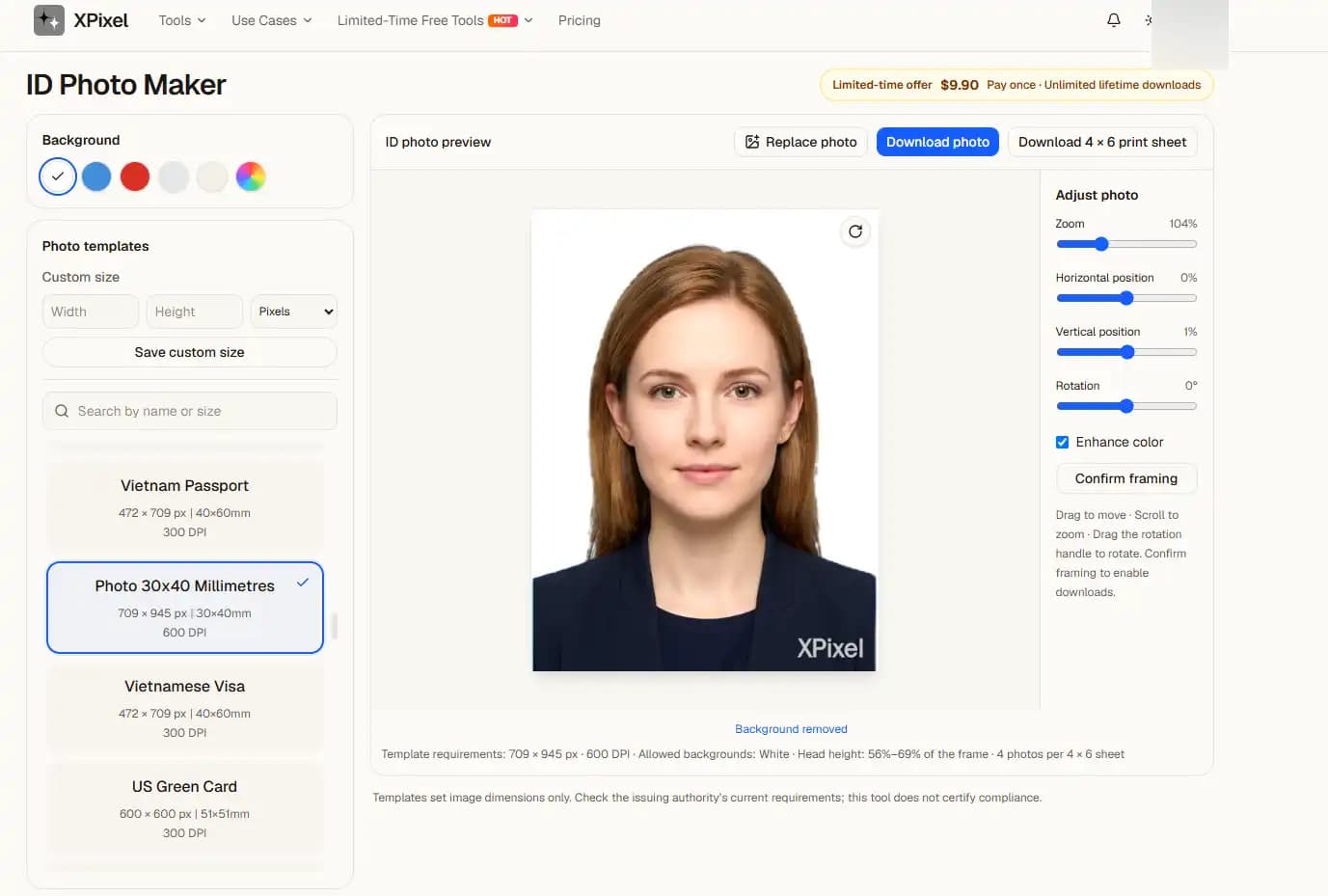
A portrait-format template
This template is taller than it is wide. Keep enough space around the portrait for composition adjustments, and inspect the final crop before downloading.
Pixel dimensions are rounded to whole pixels in the existing template. Follow the receiving institution’s requirements rather than assuming every 30 × 40 mm use has identical rules.
From upload to result
- 1Choose a clear source image on this page.
- 2Continue automatically in the editor with the settings shown above.
- 3Inspect the preview, adjust if needed, then choose a download option.
Previews contain a watermark. Clean single-photo and print-sheet downloads require the separate ID photo purchase; existing subscriptions do not replace it.
Before you start
Will I need to upload again?
No. In the same tab, the selected file is handed to the editor and processed there. Refreshing during the handoff can lose the file; select it again if prompted.
Does a preview guarantee acceptance?
No. Review the output yourself. ID photo authorities and upload sites can impose additional requirements.
Related tasks
Choose or drop JPEG, PNG or WebP images here.
One image, up to 25 MB. Decoded image limits also apply.